Cut your word count fast with these editing techniques — trim filler, tighten sentences, keep the meaning. Free counter inside.
To cut word count fast: delete filler words, replace phrases with single words, remove redundancy, and cut whole sentences that repeat a point. You can usually trim 10–25% without losing any meaning at all — often the writing gets genuinely stronger in the process, not just shorter. Here's exactly how, step by step.
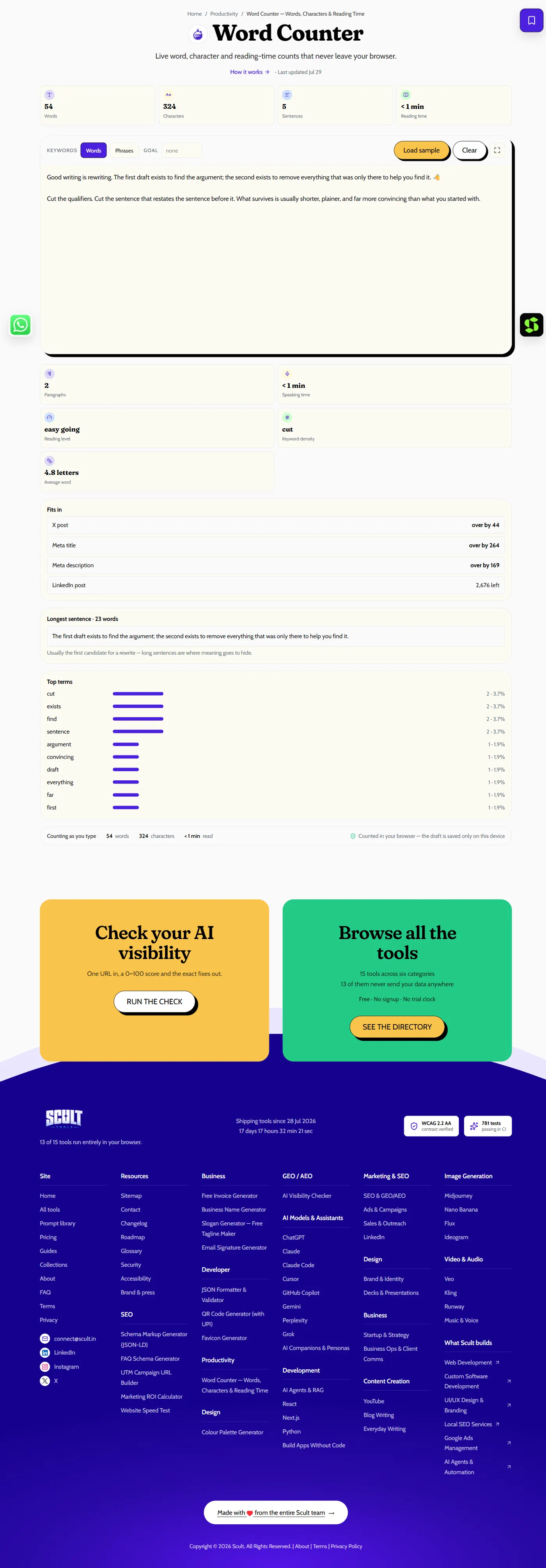
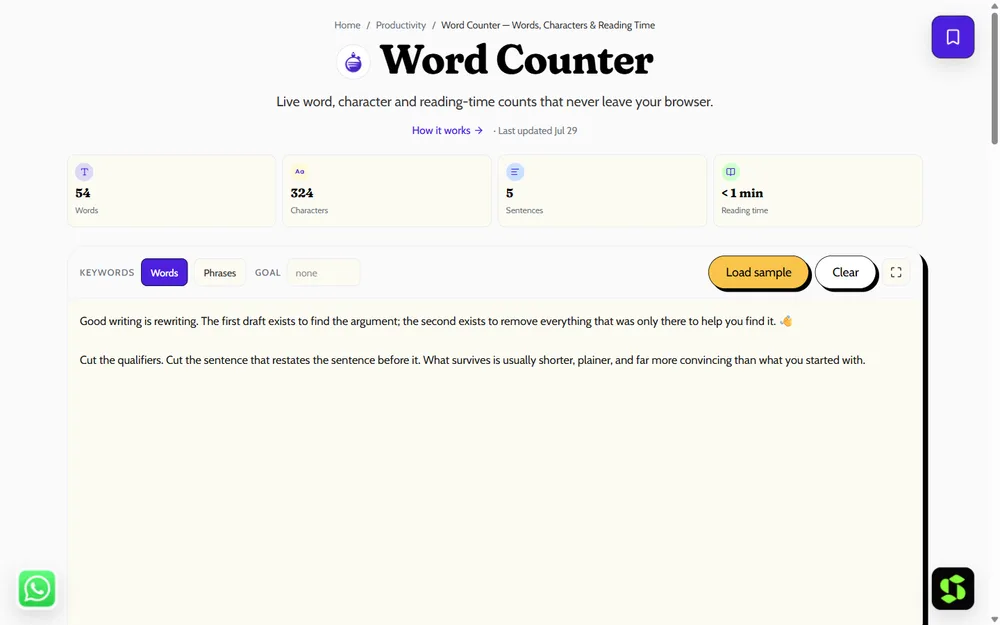
The Word Counter: paste your draft and get live word, character, sentence and reading-time counts as you edit — nothing leaves your browser.
Who Needs to Trim Their Word Count
Students facing a strict word or page limit, freelance writers matching a client's specified length, job seekers keeping a resume or cover letter concise, business writers whose reports have grown unwieldy, and bloggers whose drafts consistently run long during the excitement of a first pass all face the same basic challenge: a piece of writing that's said everything it needs to say, but in more words than the situation calls for.
Why Cutting Words Usually Improves Writing, Not Just Shortens It
Most first drafts are longer than they need to be, not because the writer had more to say, but because early drafting naturally accumulates hedging phrases, redundant restatements, and filler words that serve the writer's thinking process more than the reader's understanding. Cutting these isn't a compromise between length and quality — it's very often a direct quality improvement, since removing what doesn't earn its place makes what remains easier to read and harder to misunderstand.
Step 1: Cut Filler Words
Remove words that add length but no real meaning: very, really, just, actually, basically, in order to, the fact that, quite, in terms of. These words feel natural while drafting but rarely survive a careful edit once you're specifically looking for them.
- ❌ "In order to actually improve the results…" → ✅ "To improve results…"
Step 2: Replace Phrases With a Single Word
Many common phrases have a single-word equivalent that says exactly the same thing more directly:
- "due to the fact that" → because
- "at this point in time" → now
- "a large number of" → many
- "make a decision" → decide
- "in the event that" → if
- "for the purpose of" → for or to
Step 3: Remove Redundancy
Cut words that repeat meaning already implied elsewhere in the same phrase: "free gift," "end result," "advance planning," "past history," "future plans," "unexpected surprise." Each of these pairs states the same idea twice, once directly and once redundantly.
Step 4: Prefer Active Voice Over Passive
Passive voice reliably adds words and often obscures who's actually doing the action. "The report was written by the team" (7 words) becomes "The team wrote the report" (5 words) — shorter, clearer, and more direct about who did what.
Step 5: Cut Sentences That Repeat a Point
The biggest word-count savings rarely come from swapping individual words — they come from deleting entire sentences that restate something you've already said, just in slightly different phrasing. Read through specifically looking for this pattern: if a sentence's core point already appeared earlier, cut it rather than keeping it as reinforcement.
Step 6: Tighten Lists and Examples
Three strong, well-chosen examples communicate a point more effectively than six weaker ones that dilute attention across too many similar illustrations. Trim any list or set of examples down to only the strongest members, cutting the rest even if each individual one seemed fine in isolation.
A Before-and-After Example
Before (58 words): "In order to actually improve the results that we are seeing on a regular basis, it is important that we make a decision, due to the fact that a large number of our current processes have simply become too inefficient over a period of time, and this has had a negative impact on our overall productivity levels."
After (24 words): "To improve our results, we need to decide now — many of our current processes have become inefficient, and this has hurt our productivity."
The trimmed version cuts more than half the word count while keeping every actual point the original made, simply removing the filler, redundant phrasing, and unnecessarily elaborate wording that added length without adding meaning.
Working in Passes, Not All at Once
Write freely first, without editing for length at all, then return in a dedicated second pass specifically focused on trimming — trying to be concise while still drafting your initial ideas slows the whole process down and often produces stiffer, less natural prose than writing freely and editing afterward. Track your word count live in the word counter as you trim toward a specific target, so you can see your progress concretely rather than guessing how much you've actually cut.
Cutting Word Count Under Time Pressure
If you're editing against a hard deadline rather than at leisure, prioritize the highest-impact techniques first: Step 5 (cutting whole repeated sentences) and Step 3 (removing redundancy) typically deliver the largest word-count savings for the least time invested, since they eliminate entire redundant ideas rather than requiring careful phrase-by-phrase rewording. Save the more granular Steps 1, 2, and 4 for a second pass if time allows, rather than trying to apply all six techniques with equal thoroughness under genuine time pressure.
When Not to Cut Further
Not every word count reduction is worth pursuing past a certain point — cutting necessary context, removing examples that genuinely aid understanding, or trimming transitional phrases that help a reader follow your logic can make writing shorter but harder to follow, which isn't a real improvement. The goal is removing what doesn't earn its place, not minimizing word count as an end in itself; if further cutting would require sacrificing actual clarity or necessary information, that's the point to stop.
Setting a Realistic Trim Target Before You Start
Before beginning a trimming pass, estimate a realistic target reduction — the commonly cited 10-25% range holds for most typical first drafts, though a rushed or padded draft might have considerably more available to cut, while an already-tight piece might have very little left to trim without sacrificing real content. Knowing roughly what to expect going in helps you gauge whether you're on track partway through an editing pass, using a word counter to check your running progress against that target.
Reducing Word Count in Collaborative Documents
When several people contribute to the same document — a shared report, a co-written proposal — word-count bloat often comes specifically from overlapping restatement between sections written by different contributors, each of whom independently re-explains context the other sections already covered. A dedicated pass specifically checking for this cross-section redundancy, rather than assuming each section is independently well-edited, often reveals some of the largest available cuts in a genuinely collaborative document.
Using a Checklist for Repeated Editing Passes
If you regularly need to trim word count as part of your normal writing process, working from a fixed personal checklist — filler words, phrase substitutions, redundancy, passive voice, repeated sentences, weak examples — turns editing from an unstructured "make it shorter" instinct into a systematic pass you can run consistently every time. This matters especially under deadline pressure, when it's easy to skip steps or edit unevenly without a clear structure to follow, cutting some sections aggressively while leaving others untouched simply because they were reviewed earlier or later in a rushed session.
Trimming Word Count Without Losing Your Own Voice
A common worry when applying these techniques repeatedly is that concise writing risks sounding sterile or mechanical, stripped of any actual personality. In practice, most voice and personality live in word choice, rhythm, and specific concrete detail — not in filler words, redundant phrasing, or repeated points, none of which reflects "voice" so much as unedited first-draft habit. Trimming filler and redundancy specifically (rather than cutting personality-carrying details or distinctive phrasing) tends to sharpen a writer's actual voice by removing the noise around it, not flatten it.
Building a Personal Filler-Word List
Everyone tends to overuse a slightly different, personal set of filler words and habitual phrases — one writer might lean heavily on "actually" and "basically," another on "in order to" and "the fact that." Keeping a short personal list of your own most common offenders, built up over a few rounds of self-editing where you notice the same words recurring, makes future editing passes faster, since you can search your document directly for your own known weak spots rather than re-deriving the general filler-word list from scratch every time.
A Second Before-and-After Example
Before (42 words): "There are a number of different reasons why it is important for us to take into consideration the various options that are currently available to us before we actually go ahead and make a final decision on this particular matter."
After (17 words): "We should consider the available options carefully before deciding on this matter."
This example demonstrates the same pattern as the first: nearly every phrase in the original carried some form of hedging, redundancy, or unnecessary elaboration ("a number of different," "take into consideration," "actually go ahead and make a final decision," "this particular matter") that the trimmed version replaces with direct, equivalent language saying exactly the same thing in under half the words.
Reducing Word Count for Specific Formats
Academic essays with a strict page or word limit benefit most from the structural cuts (Step 5 and 6) first, since these typically yield the largest savings, before moving to sentence-level trimming for any remaining excess.
Business writing and reports often carry the most filler-word and passive-voice bloat (Steps 1 and 4), since formal business tone tends to accumulate exactly this kind of unnecessary hedging and indirection.
Web and SEO content benefits from all six techniques applied together, since a tighter, more scannable piece both reads better and better matches how people actually consume content online — in short bursts of attention rather than sustained close reading.
Social media and character-limited copy requires the most aggressive version of every technique here, since every single word competes directly against a hard character limit, making even a "quite" or "just" a real cost rather than a minor stylistic choice.
Reducing Word Count in Someone Else's Writing
Editing someone else's draft for length calls for a slightly different approach than trimming your own — since you didn't write it, it's worth understanding the author's actual intent before cutting anything that might carry meaning you don't immediately recognize as essential. Flag proposed cuts rather than silently deleting them where possible, especially for anything beyond obvious filler words, and check with the original writer on any structural cut (removing whole sentences or examples) before finalizing it, since what looks like a redundant restatement to an editor might be a deliberate emphasis technique from the writer's perspective.
Common Mistakes When Trimming Word Count
Cutting uniformly across the whole piece rather than identifying where the real bloat actually concentrates — some sections usually carry disproportionately more filler than others, and a targeted second look at the weakest sections beats an evenly-distributed light trim across everything. Removing necessary transitions in the pursuit of brevity, which can make otherwise well-organized writing feel disjointed and harder to follow, even though it's technically shorter. Over-editing a single sentence repeatedly instead of stepping back to ask whether the whole sentence (or even the whole paragraph) is needed at all — sentence-level polish has diminishing returns compared to a structural cut. Losing your own voice in pursuit of maximum concision — some stylistic flourishes and personality are worth keeping even at a small word-count cost, since purely mechanical trimming can produce technically shorter but blander, less engaging writing.
Tools and Techniques Beyond Manual Editing
Beyond manually applying the six techniques above, reading your draft aloud is a surprisingly effective way to catch awkward, over-long phrasing your eyes skip past silently — sentences that sound clunky spoken aloud are often exactly the ones carrying unnecessary length. Asking someone else to read a draft and flag anything that felt slow or repetitive provides a genuinely useful outside perspective your own familiarity with the material can blind you to. And tracking your count precisely with a word counter turns an abstract goal ("make this shorter") into a concrete, measurable target you can work toward directly.
Frequently Asked Questions
How can I reduce word count quickly?
Delete filler words, swap long phrases for single-word equivalents, cut redundancy, prefer active voice, and remove whole sentences that repeat a point you've already made — in that order, structural cuts (whole sentences) typically save the most.
How much can I cut without losing meaning?
Usually 10–25% of a typical first draft is filler, redundancy, or repetition that can be removed without losing any actual meaning, and often the result reads more clearly than the original.
Does cutting words improve writing?
Often yes — concise writing is generally clearer and easier to read, since removing filler and redundancy leaves only the words that are actually doing work, making the remaining content easier to follow.
Should I edit for length while I'm still drafting?
No — write freely first without worrying about length, then edit specifically for concision in a separate pass. Trying to do both simultaneously slows drafting and often produces stiffer prose.
What's the single highest-impact technique for cutting word count?
Cutting whole sentences that repeat a point already made elsewhere — this typically saves far more than word-level substitutions, since it removes entire redundant ideas rather than just trimming individual phrases.
How do I know when I've cut too much?
If further trimming would require removing necessary context, a genuinely useful example, or a transition that helps the reader follow your logic, you've likely reached the point where further cuts hurt clarity rather than helping it.
How do I know what percentage of my draft to expect to cut?
The commonly cited 10-25% range holds for most typical first drafts, though a rushed or padded draft may have more available to cut, while an already-tight piece may have very little left to trim without sacrificing real content.
Should I use a fixed checklist every time I edit for length?
It helps, especially under deadline pressure — a consistent list (filler words, phrase substitutions, redundancy, passive voice, repeated sentences, weak examples) turns editing into a systematic pass rather than an uneven, instinct-driven trim that risks missing sections.
Will cutting my word count make my writing sound generic or lose my voice?
Not if you're cutting the right things — filler words, redundancy, and repeated points reflect unedited first-draft habit, not genuine voice. Removing them tends to sharpen your actual style rather than flatten it, since it clears away noise around the distinctive word choices and details that do carry your voice.
Is passive voice always wrong to use?
No — passive voice has legitimate uses (when the actor is unknown or unimportant), but it reliably adds words compared to active voice, so it's worth converting to active by default unless there's a specific reason to keep it passive.
Can a word counter help me hit a specific target length?
Yes — tracking your count live as you edit turns an abstract goal into a concrete, measurable target, letting you see exactly how much you've trimmed and how much further you need to go using our free word counter.
Need concise copy that converts? Scult writes content that ranks and reads.